
Scan paper to PDF, then find it by any word inside.
Paperwork turns up when there's no scanner nearby, and a photo of an invoice is hard to find a month later. Scangrin turns your Android phone into a document scanner. It straightens each page, reads the text and saves a PDF you can search and share. After a one-time setup download, scanning and text recognition work with no internet connection.
Available for Android phones and tablets with Google Play. Not available on iPhone.
Get a clean copy without an office scanner
Point your camera at a page. Scangrin finds the edges, straightens it and cleans it up, so an invoice on the kitchen table comes out ready to send.
- Automatic capture and edge detection
- Crop, rotate and colour filters, with shadow, stain and finger removal
- Scan one page or a whole stack, then add, retake, reorder or delete pages
- Bring in photos and PDFs already on your phone
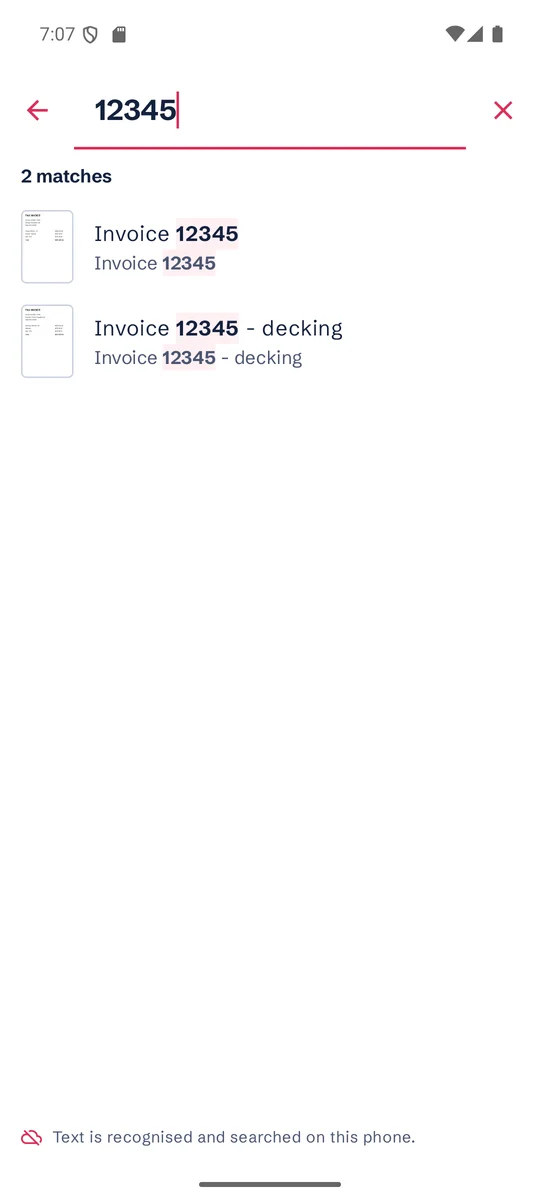
Find any document by a word inside it
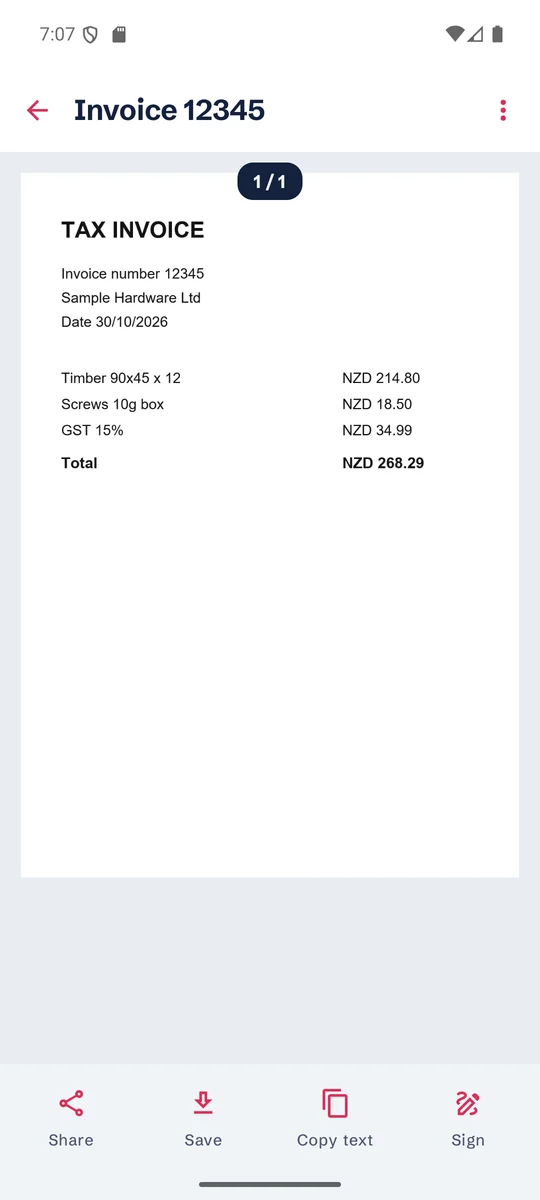
Scangrin reads the text on your pages. Search for an invoice number, a name or a supplier, and the matching document comes up with the word highlighted.
- Search across every document you've scanned
- Copy text from a page into an email or message
- Text is read on your phone, and your scans aren't uploaded to do it
Then get it to whoever needs it
Paperwork rarely ends with the scan. These are the jobs that usually wait for a laptop.
Save the file the way the other person needs it
Choose the format and quality, then save to the folder you pick or share it straight to email, Drive or another app.
- PDF or JPG, in Smaller, Balanced or Best quality
- Searchable PDFs, so the text can also be searched and copied in other apps
- Automatic file names with the date and time
- Print from the app when someone still wants paper
Make a PDF small enough to send
When a file is too big for an email or upload form, choose how much to shrink it or pick a size to fit under: 10, 5, 2 or 1 MB, or your own figure. Your original stays as it was.
- Works on your scans and on PDFs from other apps
- Text you could search before can still be searched
- If a size can't be reached while the text stays readable, Scangrin tells you the smallest it managed, and you decide whether to keep it
Merge, split and sign on your phone
Finish the job on the spot, with no internet connection.
- Merge several PDFs into one, or pull out the pages you need
- Draw a signature, save up to 3 and place one on a page
- Turn photos into one PDF, or a batch of images into one PDF each
- Make an existing document searchable
Send a PDF only the right person can open
Add a password when you save or share, so the file needs that password to open. Send the password separately from the file.
- Protects the saved or shared PDF with AES-256 encryption
- Remove a password you know from a copy when you no longer need it
- The copy inside Scangrin stays unlocked, so keep your phone's screen lock on
Scangrin can't recover a forgotten password, so keep it somewhere safe.
Get both sides of an ID card on one page
When someone asks for a copy of your ID, scan the front and back and save them on a single A4 page, sized to print at real card size when printed at 100%.
- Your ID scan stays on your phone until you choose to save or share it
- ID scans aren't added to search unless you choose to make them searchable
- Scangrin makes a copy only, and doesn't check or verify any ID
Keep your documents on your phone, and move them when you change phones
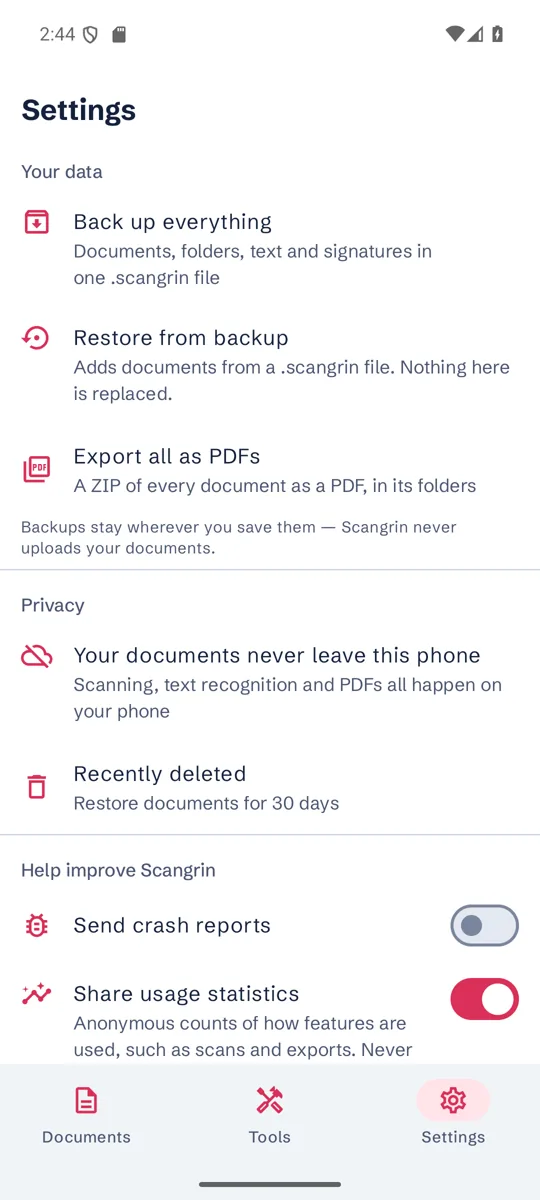
Scangrin has no document servers of its own and doesn't upload your documents. They leave your phone only when you choose to save or share them somewhere else.
- Folders, sorting and automatic file names
- Back up everything to one file you keep, then restore it on a new phone
- Export all your documents as PDFs in a single ZIP
- Recently deleted keeps removed documents for 30 days
Paperwork, wherever it turns up
Trades and field work
Scan supplier invoices, job sheets and signed quotes on site, and send them before you leave.
Small business admin
Get receipts and bills into PDFs your bookkeeper or accounting app can use.
Home and family
Keep warranties, tenancy agreements, school forms and medical letters searchable in one place.
Study and notes
Scan handouts and notes, merge them into one PDF and search them when exams come round.
On an Android tablet, Scangrin spreads out so you can see more of your documents at once.
Every feature is free, and ads pay for it
You get every feature with no limit on scans or pages, and no watermark. There's no subscription or trial.
When you'll see an ad
Scangrin shows one full-screen ad after some saves and shares. The Saved screen tells you when one is coming.
- There's no ad on your first saves
- Ads are spaced apart, with a limit each day
- You won't see one while you scan, between pages or before you've seen your document
- If an ad isn't ready, you carry on without waiting
If you'd rather not see them
Watch one optional ad for 24 hours without ads. You can do this twice a day and bank up to 48 hours.
Or make a single one-time purchase to remove all ads for good. Google Play shows the price before you pay. Ad-free stays on when you're offline, and you can restore it on a new phone with the same Google account.
Nothing else changes when you pay, because every feature is already free.
Questions
Does Scangrin need an internet connection?
Only for a few things. Google Play services downloads the scanner once after you install, so open the app online the first time. After that, scanning, text recognition, search and PDF editing work with no connection. You'll also need one to share a file online, make a purchase or load ads.
Is it available on iPhone?
No. Scangrin is for Android phones and tablets running Android 10 or later with Google Play services.
Can you see my documents?
No. Your documents and their text stay on your phone unless you choose to save or share them somewhere else, and there's no account. Google's ad and analytics services collect some device and usage information, which our privacy policy explains.
Is it really free? What's the catch?
Every feature is free, and ads pay for it. You'll see a full-screen ad after some saves and shares, as described above. You can remove ads with a one-time purchase, or watch one optional ad for 24 hours without them.
What happens to my files if I change phones?
Use Back up everything to create one file, keep it somewhere you choose, and restore it in Scangrin on the new phone. Uninstalling removes what's stored inside the app, so back up first.
I used Microsoft Lens. Can I move my scans across?
Yes. When you first open Scangrin, it offers help to bring your old photos and PDFs across.
Get Scangrin free on Google Play.
Your next piece of paper could be a PDF you can find again. Free, with ads.

- Android 10 and later
- Privacy policy
- Support: admin@friendlyit.co.nz
Google Play and the Google Play logo are trademarks of Google LLC. Android is a trademark of Google LLC.